Split Payments
Split payments divide the payments into net amount and VAT amount. The VAT will be separately coded (split payment) and the VAT amount will be directly transferred to the supplier's bank account for VAT when you make a payment. The payments you register in MONITOR will be divided into a net amount and the VAT amount will be coded on your VAT account.
Adaptation 838 - Split payments is required in order to be able to split payments. Below you can read about the settings you have to make.
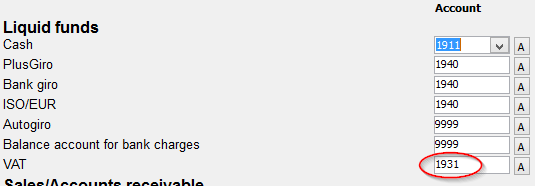
Chart of Accounts / Standard Accounts
Enter your VAT account in the Chart of accounts / Standard accounts procedure.
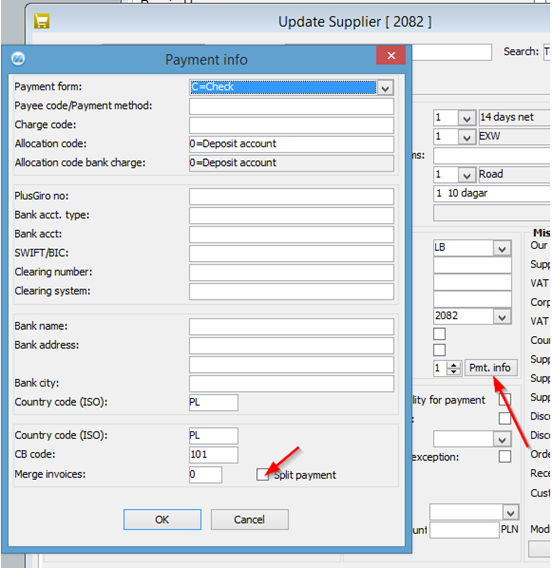
Update Supplier
Check the Split payment box in the Payment info window in the Update Supplier procedure.
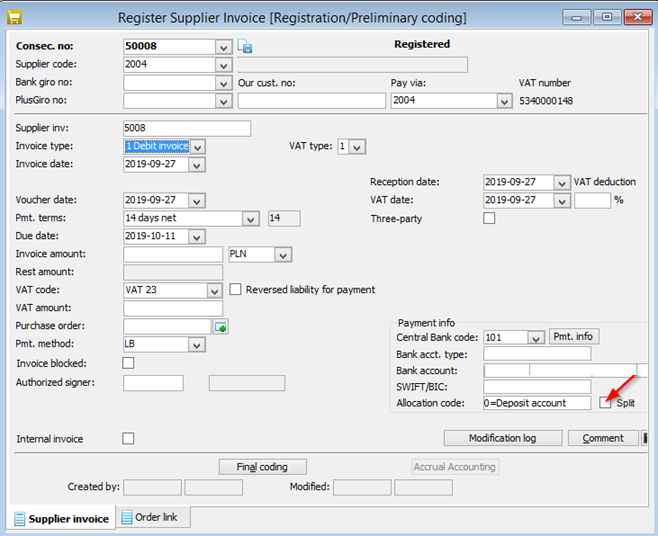
Register Supplier Invoice
Check the check box Split in the Register Supplier Invoice procedure.
Payment Suggestions
Check the box Split payments in the Payment Suggestions procedure. This will automatically split the payment file to the bank.

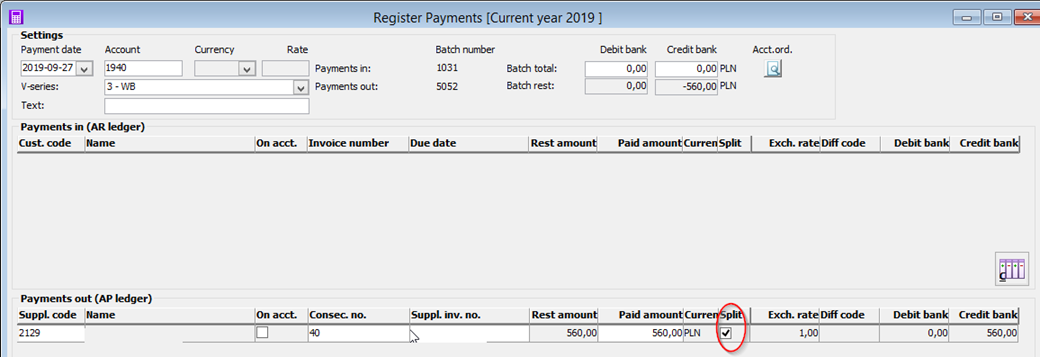
Register Payments
When you register your payment in MONITOR, there is also a check box Split. If this box is checked, the invoice will automatically be booked on to different accounts depending on what accounts you have chosen in Charts of accounts / Standard accounts procedure.