Split Payments – File in Foreign Currency
Update Suppliers
You have to update some payment information on all domestic suppliers that sends you invoices in foreign currency.
The Payment method has to be LBI.
You have to add the Bank account number for the PLN account that is connected to the VAT account. Enter the PLN bank account number in the Bank account field (see image below):
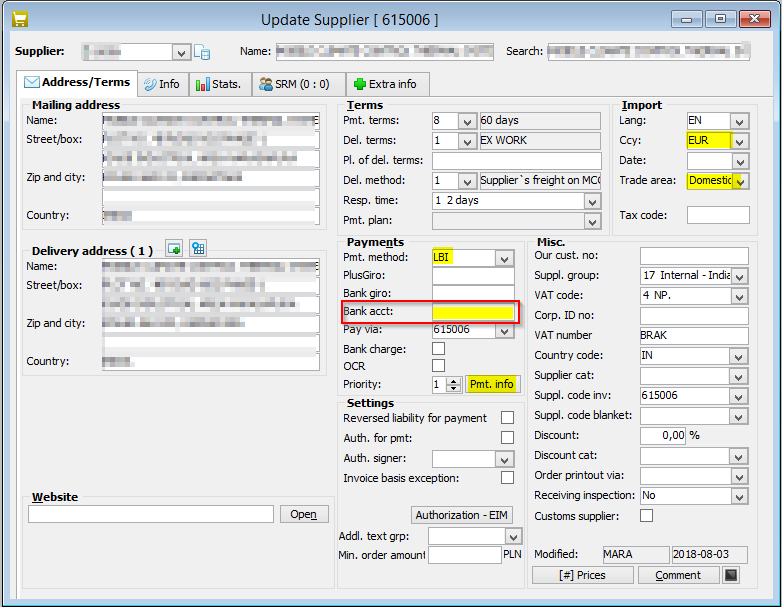
Enter the Account number for the Currency account under the Pmt. Info button.
Payment Suggestions
Split payment must be selected on the invoice in order to handle split payments.
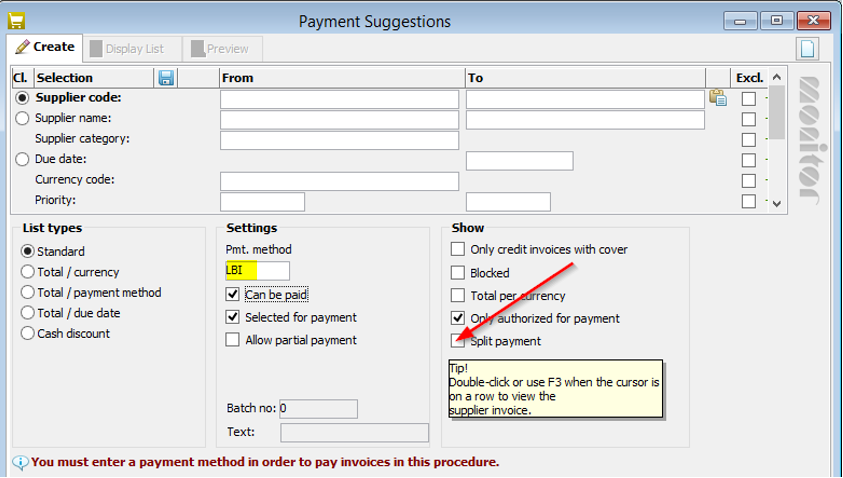
- Open the Payment Suggestions procedure and select Payment method LBI.
- Click on the Display List button
 .
. - The invoices that are marked with Split payment and are in a foreign currency (not PLN) appears in the list.
- Control the payments in the list and save.
- The Transaction list will open automatically with the LBI list with the net amounts in foreign currency.
- Create the payment file.
- Change to Payment method LB in the Transaction list. This list shows the VAT amounts in PLN.
- Create the payment file.
- Now you have two different payment files to send to the bank. One file with the net amount in foreign currency and one with the VAT amount in PLN.
Pay the supplier invoices
To make these payments turn to paid in Accounts Payable Ledger you can choose between two different methods in MONITOR.
Confirm Outgoing payments
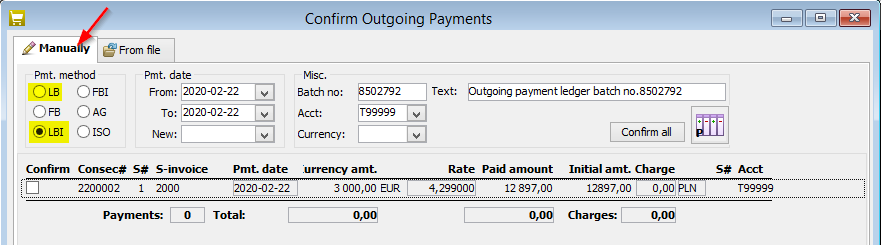
Select the tab Manually in the Confirm Outgoing Payments procedure. Here you have the NET amount on the invoice under LBI and VAT amount under LB. You have to save both payments.
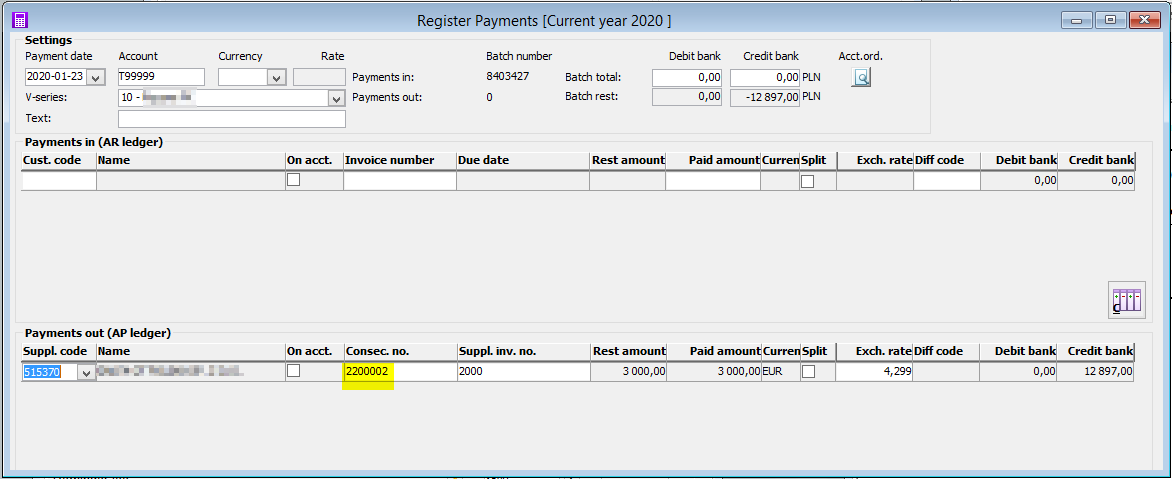
Register payments
When you fill in the Consec.no, then the Net amount first will appear. You need to save this payment before you can enter the same Consec.no again and save the VAT amount.